What is covered in this article?
Prerequisite
In order to track your campaign in Google Analytics you must have already added your Google Analytics ID to Enquiry Tracker.
Tracking Campaigns
In order to track the success of your campaigns, digital marketers use UTM parameters. These are short text codes that you add to URLs (or links) to help you track the performance of webpage or campaign. UTM parameters are a simple, straightforward, and reliable way to track traffic online.
Setting up UTM parameters
To set up your UTM parameters you should use a tool like Campaign URL Builder. This tool allows you to easily add campaign parameters to URLs so you can measure Custom Campaigns, which also provides a good overview of the different types of parameters you can set, in Google Analytics.
Consider a school website: http://demoschoolwebsite.com and your Event registration form is hosted on the following page: http://demoschoolwebsite.com/events
- Launch Google Campaign URL builder
- Enter in the UTM parameters for the required options
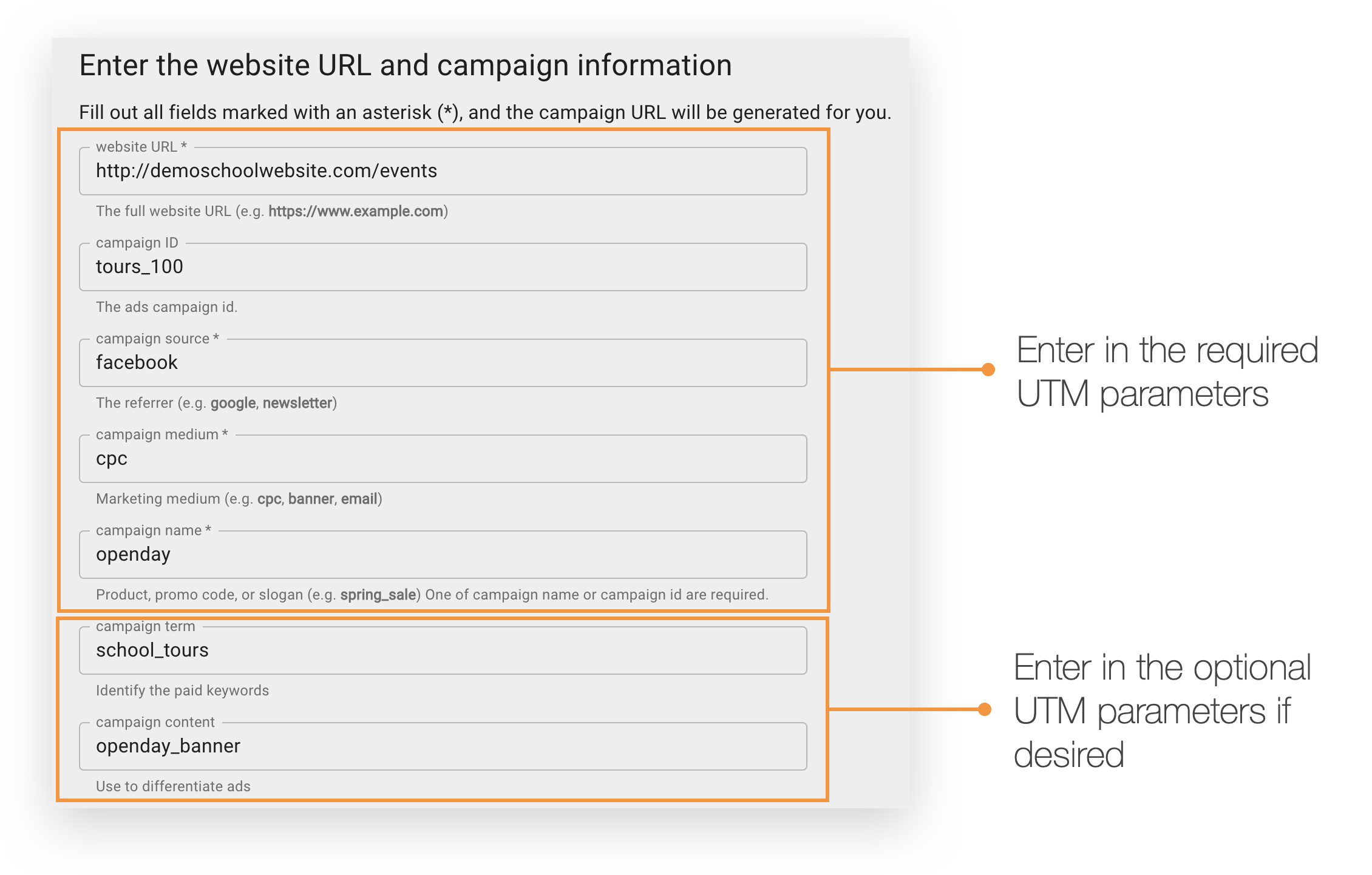
Entering in a relevant value in each UTM parameter will generate a unique URL for tracking purposes.
- Scroll down and copy the URL
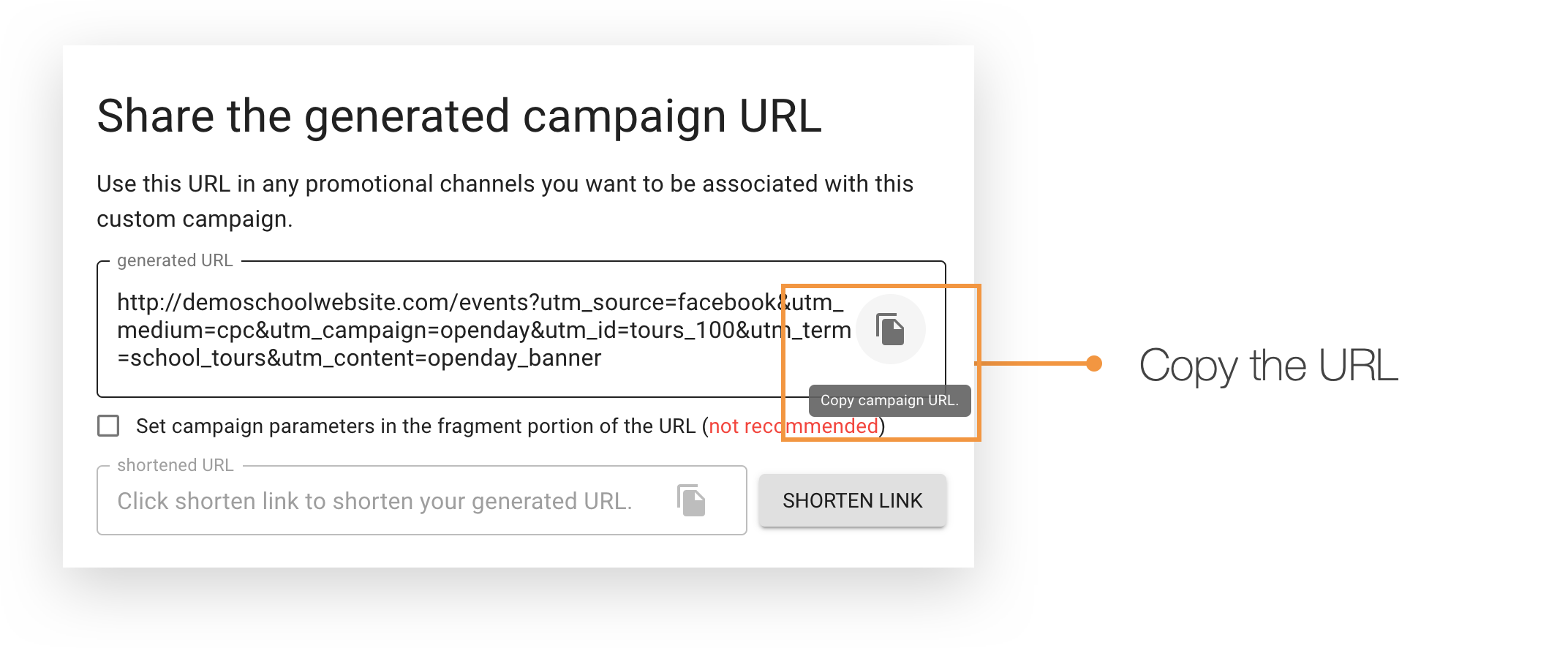
- Paste the URL in a new browser window
- Complete the form submission
Google Analytics
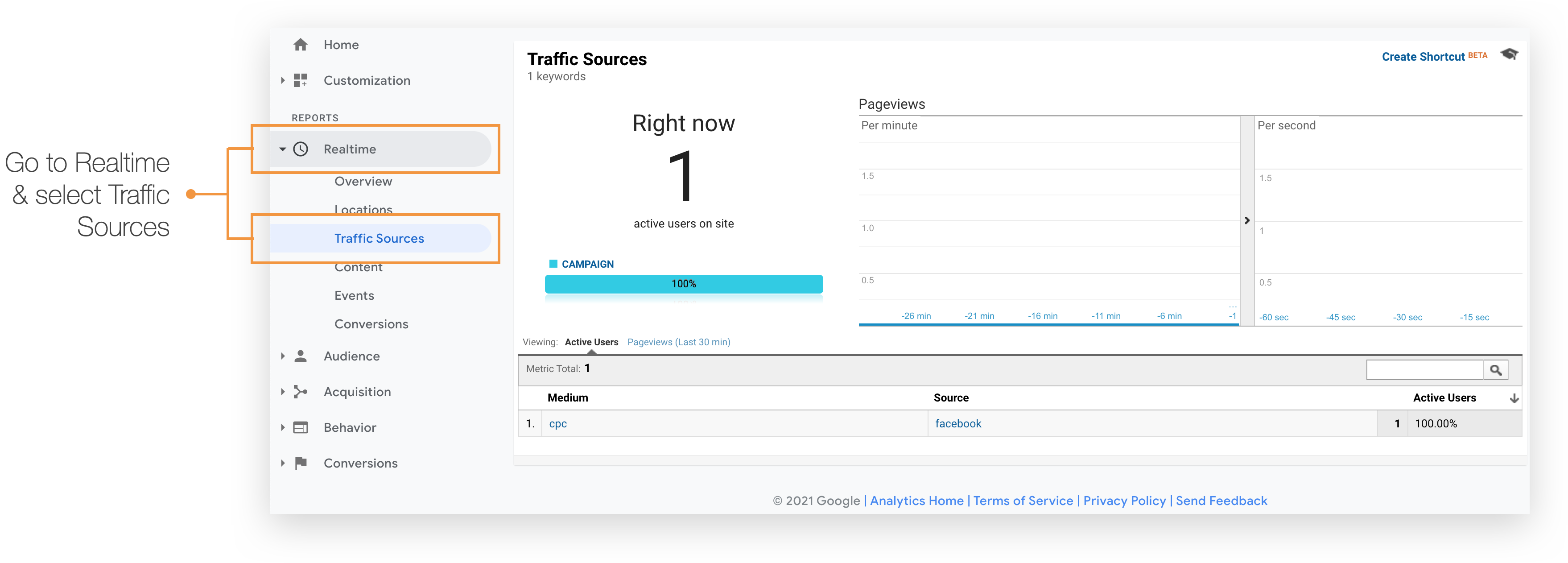
- Log into your Google Analytics account
- Go to Realtime → Traffic Source and the relevant information will be visible