
What is covered in this article?
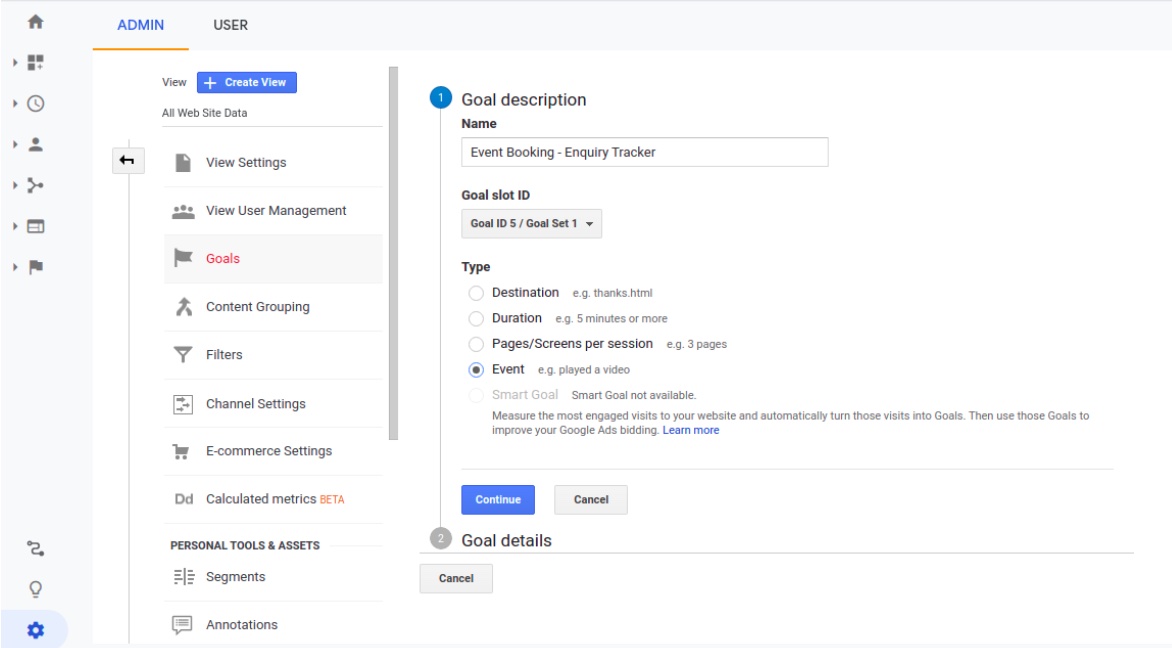
Step 1: Create a goal in Google Analytics
- Enter in a goal name that relates to the specific form
- Select a type of goal as an “Event”
Step 2: Set up goal details & event conditions
Set one or more conditions. A conversion will be counted if all of the conditions you set are true when an Event is triggered. You must have at least one Event set up to create this type of Goal.
You can set up below values for each condition.
-
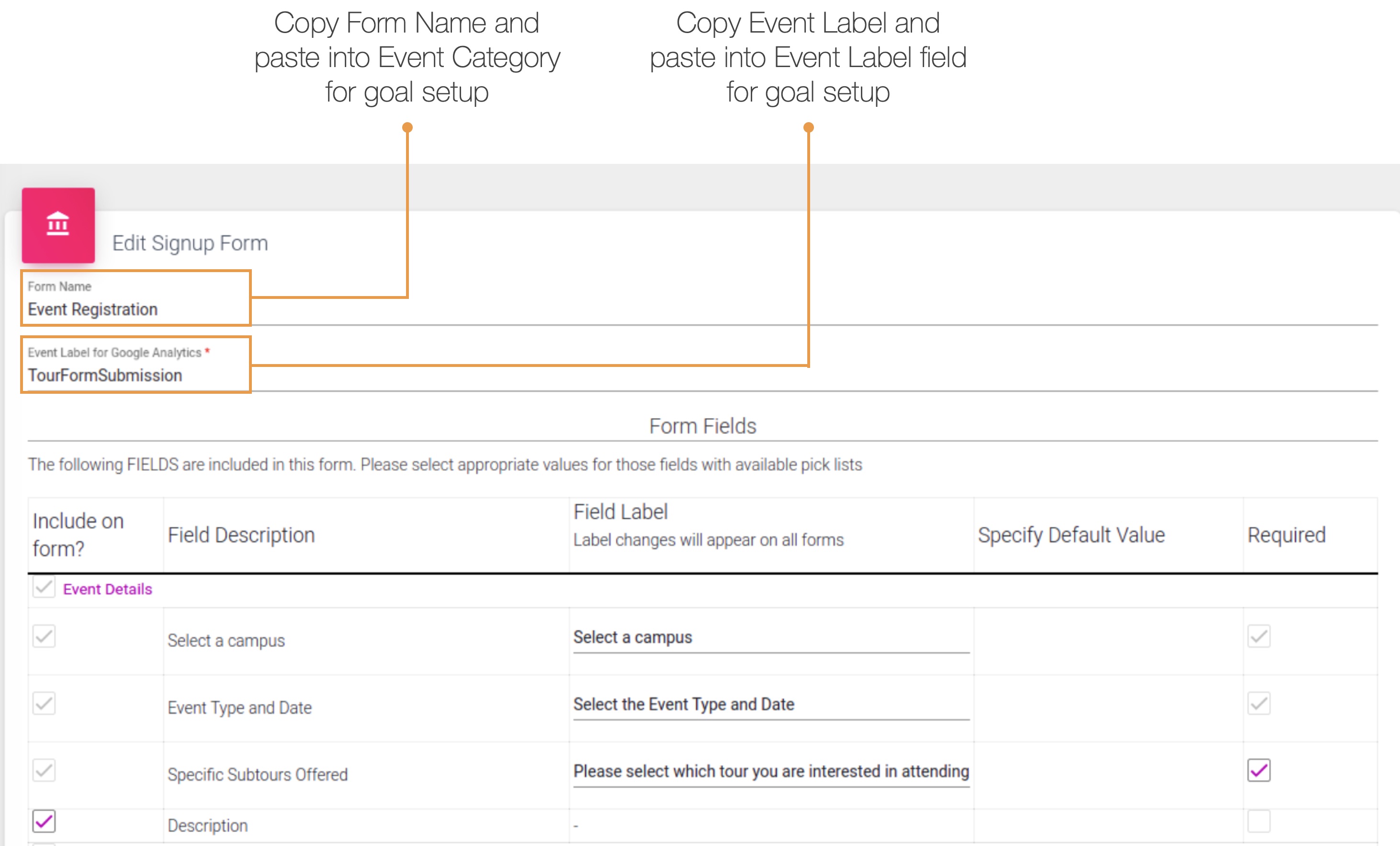
Category: Value of “Form Name” in Enquiry Tracker
-
Action: Form Submission
-
Label: Value of “Event Label for Google Analytics”. Use the Event Label located in the screen shot above
-
Value: Leave it blank.
-
Use the Event value as the Goal Value for the conversion: No

We are not passing any event value on form submission, instead you can assign monetary value to the conversion if desired.
| Note: Goal conversions may not be reflected until a few minutes (2-5 minutes) in Google Analytics after a form submission. |